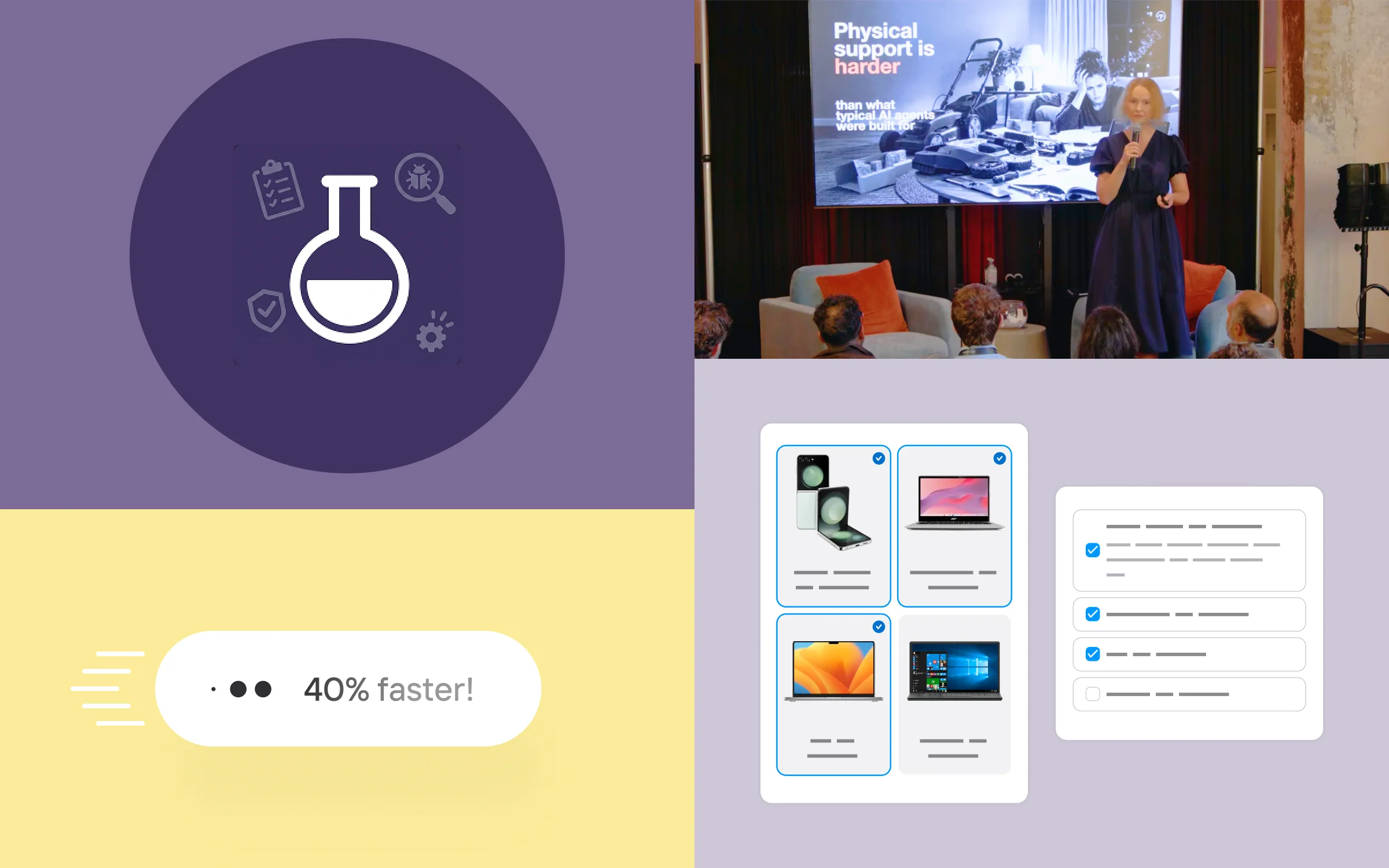
Anyone running an AI agent eventually hits the same questions: how do I actually know it works? Not on the three conversations you happened to read this morning, but across hundreds of the questions your customers actually ask. And once you’ve improved something - did it move the needle? This month we’re shipping our answer to both: AI Agent bulk testing.
Also, Generative answers got ~40% faster, digital forms got more flexible, and there's a batch of improvements for the people building AI agents every day.
Finally, we hosted our Product Support Summit in Chicago - more on that at the end. Let's dig in!
AI Agent bulk testing: prove your assistant works
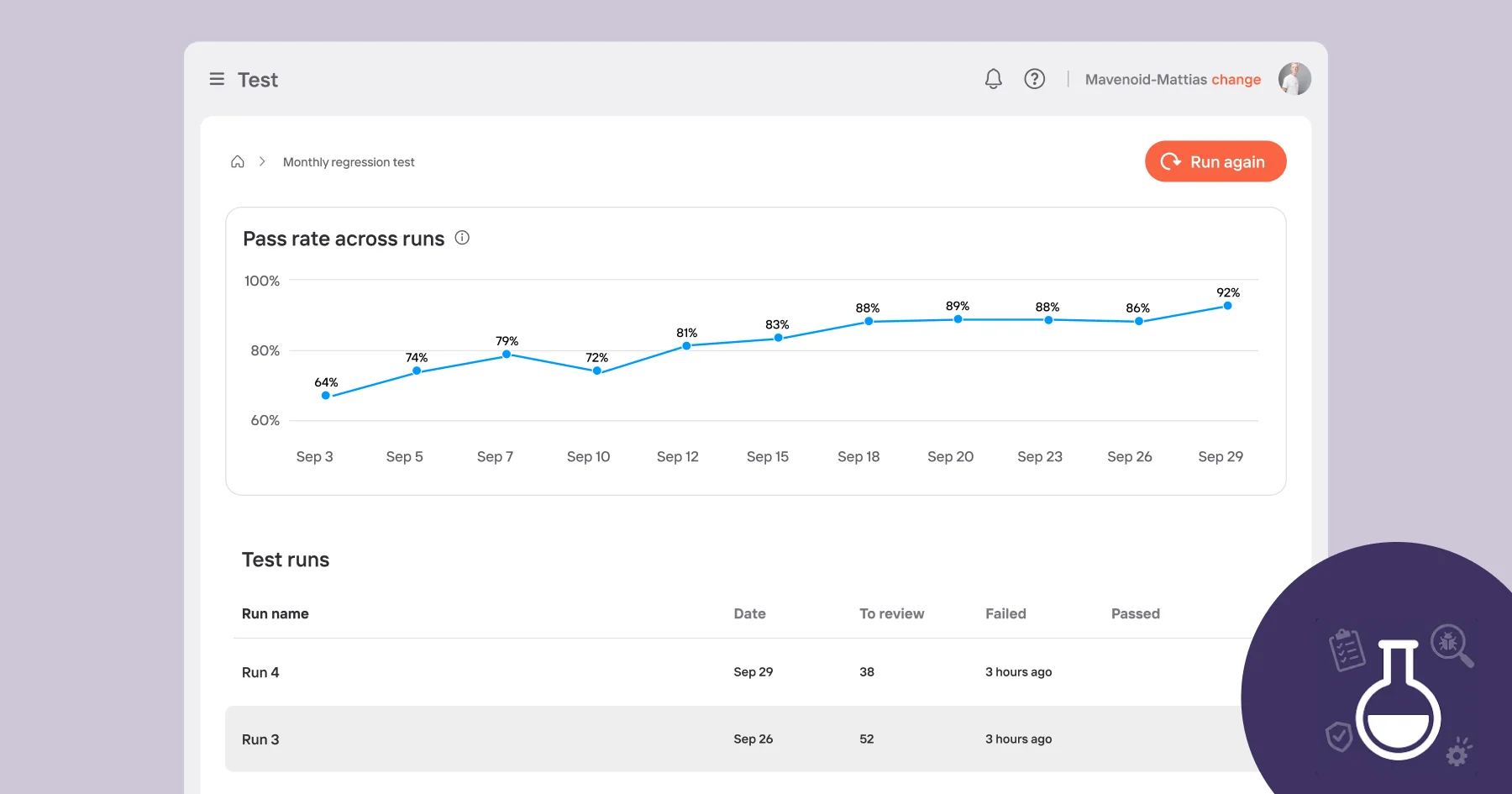
Bulk testing lets you take a set of real questions - the ones your customers actually ask - then run them against your assistant all at once, hundreds at a time and have the AI judge evaluate them per your criteria.
You upload a simple spreadsheet. Each row is a question, what you expect to happen (a direct answer, an escalation, or a refusal), and a plain-language description of what a “good” answer or action looks like. Mavenoid runs each one as a real conversation, and an AI judge scores the outcome against your criteria. You get a pass rate, a breakdown of what fell short and why, and the full transcript of every test conversation.
The real value shows up on the second and consequent runs. Change something - add documents, update an intent, adjust a flow - then run the same set again and see immediately whether it helped. The trend across runs is tracked for you, so improvement (or regression) is visible at a glance rather than something you have to reconstruct by hand.
A few things worth knowing:
- Tests can run in any language - set it per row, and your success criteria can stay in English.
- Tests can be organised into folders, so a weekly regression suite stays separate from ad-hoc experiments.
- It covers generative and hybrid assistants first. Voice testing is on the roadmap too.
We demoed this at our Chicago summit and the response was immediate and positive, several teams asked to start testing as soon as the early version is ready. If you'd like to be in the early access group, talk to your Mavenoid contact.
Generative answers are around 40% faster
In the September edition I wrote about complex sources getting roughly twice as fast. That work carried straight on, and this round covers generative answers across the board.
The typical generative answer is now ~40% faster. The improvement is even more pronounced at the slow end: the small share of answers that used to take noticeably longer has shrunk by roughly two-thirds, so the experience is more consistent as well as quicker.
Forms: multi-select and a much better-looking layout
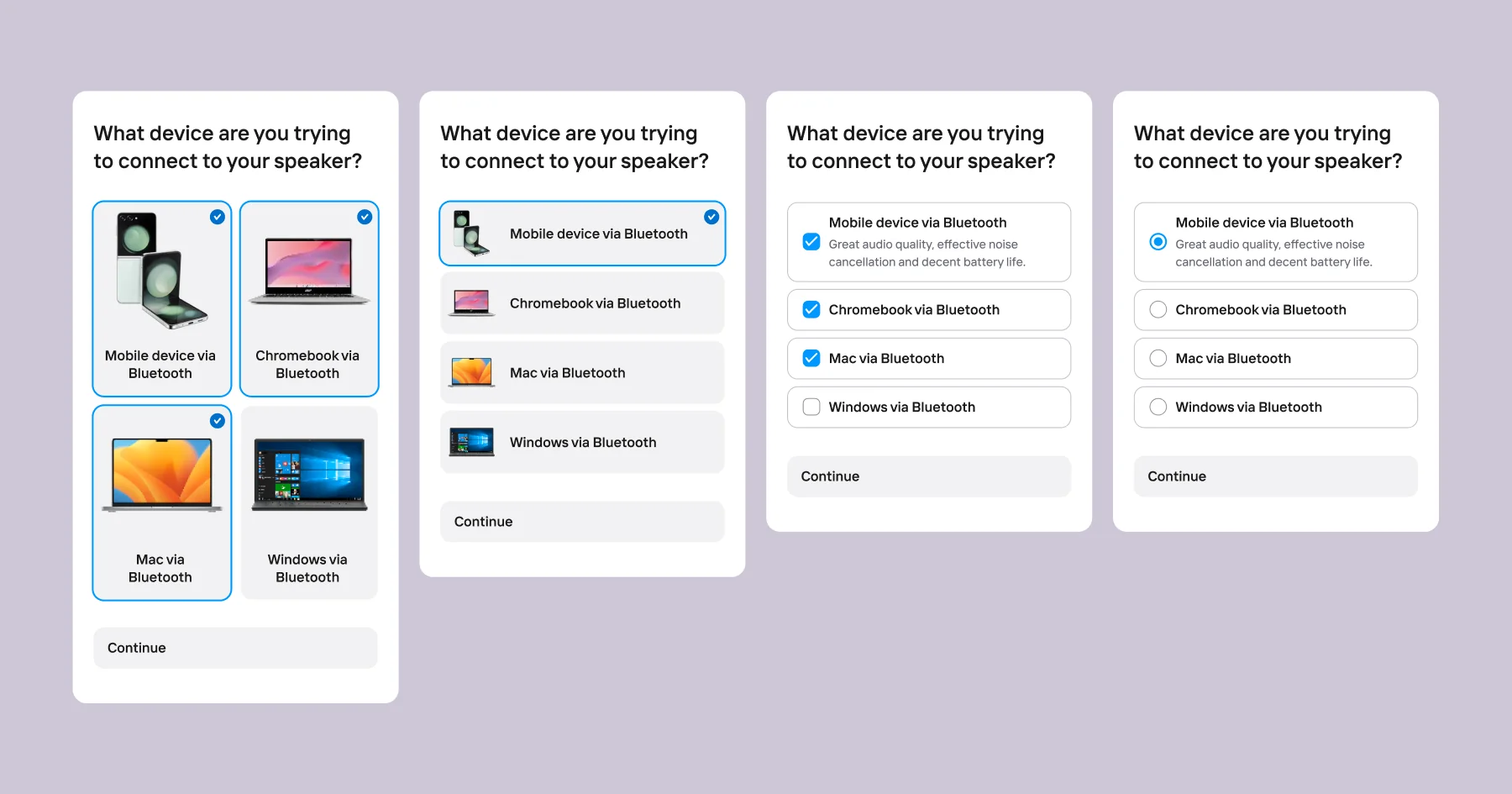
Plenty of support questions need more than one answer. "Which symptoms are you seeing?" "Which accessories do you have?" Choice list fields in forms now support multi-select, so users can pick several options at once, with optional minimum and maximum counts.
They also look considerably better. Choice lists are no longer limited to a dropdown - you can now display them as:
- Buttons: a list or grid of cards, each able to show an image and a subtitle
- Inline: simple radio buttons for single select, checkboxes for multi
- Dropdown: the familiar compact style, for single select
Static choice lists pull images from your org library; dynamic ones take them from the data source. The practical upshot is that a form field can now look and feel like a full visual choice list (product pickers, symptom selectors, accessory lists) while staying inside a single form.
More flexibility in building your AI agent flow
Build a digital assistant from intents and instructions alone
Here’s a rather elegant consequence of intents and instructions landing in digital: you can now build a complete generative assistant out of nothing but those two things. Define what the assistant should recognise, define what it should do, publish. No documents needed (hence Smart Asset node is optional now).
It’s the purest expression of the model - and it makes voice and digital properly interchangeable. A voice flow built from intents and instructions can be re-used in digital as-is, keeping the same structure.
Weave curated and conversational together, freely
There’s a principle we keep coming back to: a conversation is a conversation. Whoever builds a flow shouldn’t have to think about whether a given moment is “conversational” or “curated” - and the person on the other end certainly shouldn’t notice a seam between them.
Curated nodes, flow links and escalations can now connect straight to generative instruction’s tool exits. So an instruction can hand into a curated step-by-step guide, jump across into another flow, or escalate - whichever the moment calls for. Escalation paths are where this shines brightest: let the conversational part do what it’s best at and gather the context, then let a curated path take over and handle the rest precisely.
Finding things faster in large setups
Canvas search now follows flow links
Most mature setups in Mavenoid are layered with lots of interconnected and reusable blocks: a global flow links to product flows, which link to a shared escalation flow. That's a sensible structure but it meant that finding a particular node involved knowing in advance which flow it lived in.
Canvas search now follows those links. Search from wherever you are and you'll get matches from linked flows too.
The classic example: you want to change the opening hours for live support, which means finding a time slot node - but it sits in one of several escalation flows, reached indirectly. Now you just search for it. It's equally useful for auditing, when you want to see every node of a given type across an entire setup rather than relying on memory.
Search by condition value
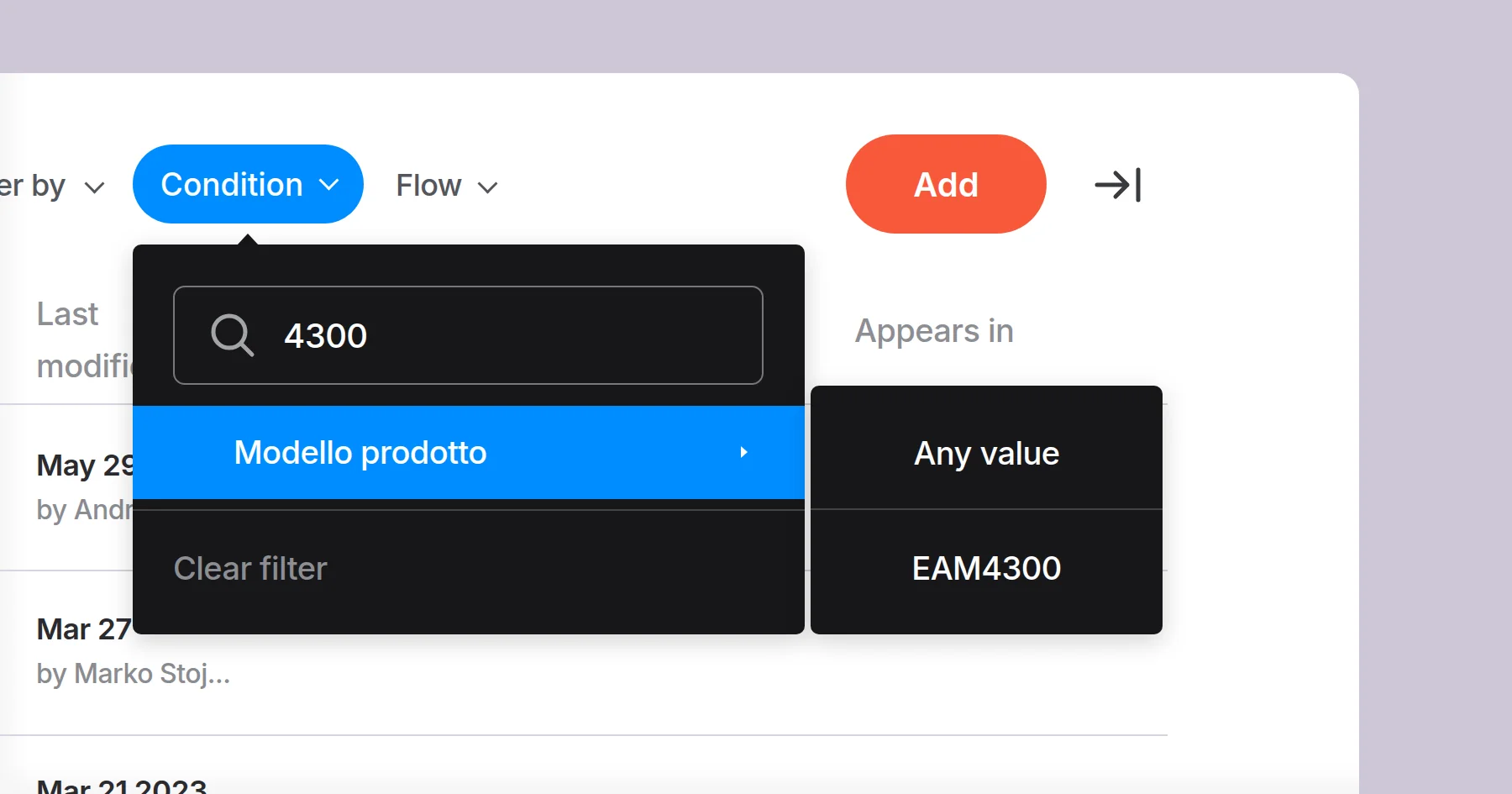
Finding the assets tied to a particular product or configuration used to mean scrolling through the asset list. Now you can type the condition value straight into the search box and see only the assets carrying it. A small change that makes a real difference if you manage a large asset library.
Flow filters in Components, Conditions and Guides
Each of these views now has a flow filter, so you can narrow straight down to the flow you're working on instead of scanning a list that spans the whole org.
Product Support Summit, Chicago
At the start of October we brought customers and partners together in Chicago for our Product Support Summit - the biggest one we've hosted so far.
I opened with where product support is heading over the next few years: the "front door" fragmenting as more journeys begin inside someone else's AI assistant, agent-to-agent interactions becoming routine, agentic AI maturing from single actions into multi-step plans, multimodal support becoming the default rather than the exception, and traceability turning into a non-negotiable.

Teams from Generac, Broan-NuTone, Kwikset and ACCO Brands shared how they've scaled self-service in practice - including one that cut call abandonment from 25% to 7% and another seeing a 10-25% reduction in contacts.
Thank you to everyone who came - the conversations in the room were far and away the best part. In case you missed it and would like to see the recordings, head to https://www.mavenoid.com/en/events (we’ll be posting videos there)
Got you curious?
If you'd like to see any of these capabilities in action, reach out to your Mavenoid contact or request a demo.
Until next time!